

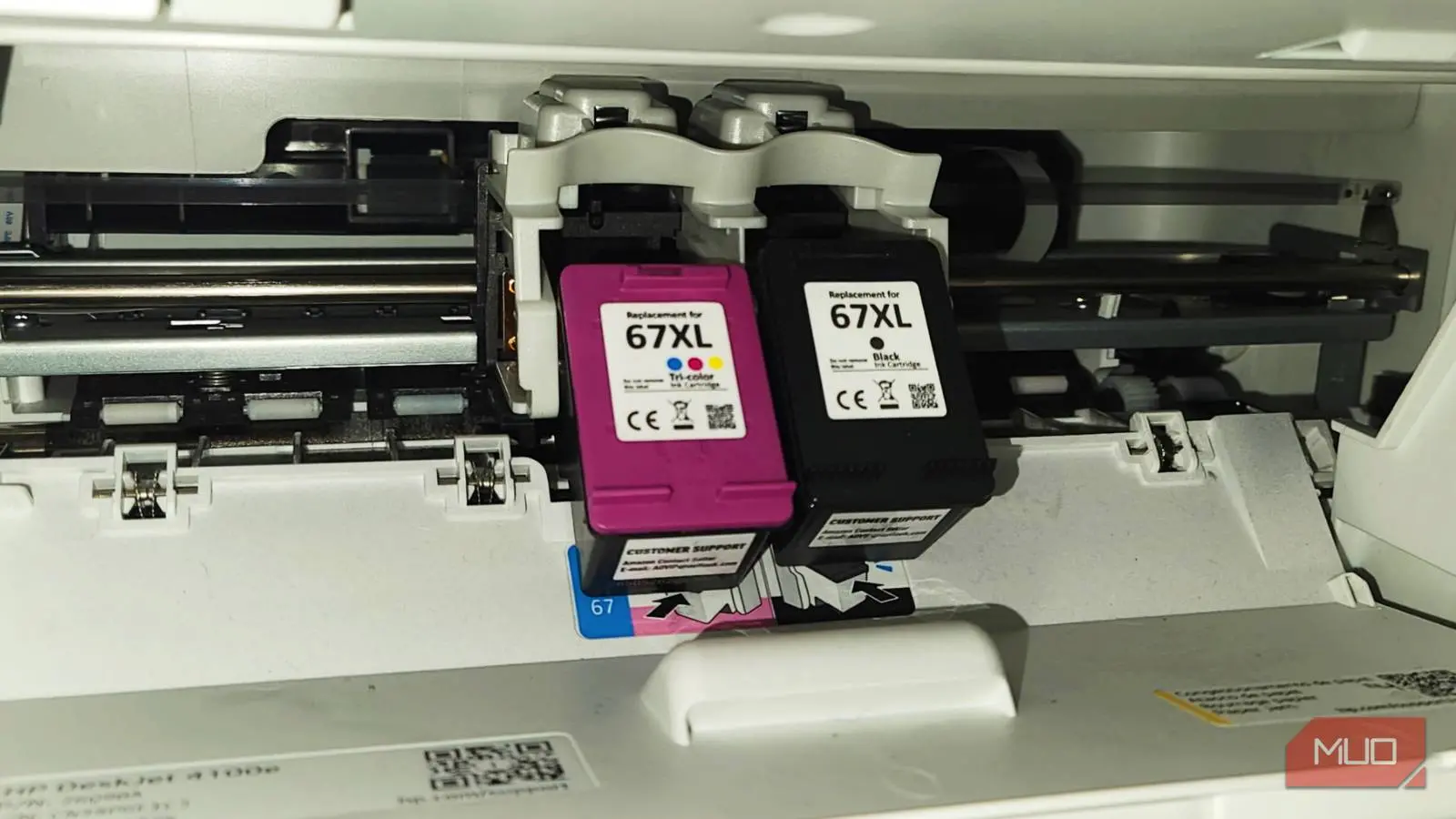
When it's time to replace empty printer ink, most people follow a routine they know well. You go down the office supply aisle or find an online store, look for your printer brand, match the colors it needs, and usually pick the box with the lowest initial price. This is a mistake that quietly drains your wallet over time.
If you only match the brand and color and don't read the small print on the box, you'll unknowingly pay much more over the life of your printer. Similar to how you need to check different things when buying a new printer—like print speed, duplexing, or wireless connectivity—you need to check a few critical factors before buying cartridges. The letters and numbers on the box aren't just random identifiers; they hold the key to understanding your true printing costs.
The true cost of your printer
You're not done when your printer is set up
To understand these hidden costs, you need to know about page yield. This number is usually in the small print on the side or back of the cartridge box. Page yield is the estimated number of pages a cartridge can print before it runs out of ink. These standard tests calculate page yields based on 5% page coverage, which simulates an average business document with a little text and no heavy graphics.
Your actual printing might differ—full-page photos or dense documents will use more ink—but this standard page yield is an essential benchmark. If you don't read the page yield, you miss out on calculating your average cost per page. Once you know the yield, divide the cartridge's retail price by its stated page yield. For example, a $20 cartridge that only prints 200 pages means you're paying 10 cents for every page. That's roughly the cost you'd pay at a public library printing service. Some standard capacity cartridges contain shockingly little ink, requiring frequent replacements that add up fast.
The true cost of your printer usually isn't what you paid for the machine at the store. It's how much you will pay over time for consumables. A printer that costs $50 might seem like a bargain, but if its cartridges have a low page yield and cost $30 each, you could spend hundreds of dollars in ink within a year. I get that calculating different costs and thinking about codes feels tedious, but by not doing this simple math, you're making your printer far more expensive than necessary. Instead of only asking yourself questions about print speed or features when buying the printer, ask yourself what you intend to print and how often when choosing cartridges.
A printer that was cheap to buy can quickly become a huge financial burden if it relies on standard-yield cartridges that demand constant replacement or if you accidentally purchase mismatched cartridges that don't work. So, you should learn what the codes mean and how to apply them to your printing habits.
Understand chemical codes and region locks
All those numbers mean something
When you look at the letters on your printer ink cartridges for your next refill, the difference between standard capacity and "XL" or "XXL" is crucial for figuring out your total printing costs. Even though 'extra large' label makes it sound physically bigger, XL cartridges are actually the same size and fit into the same slot as standard ones. The plastic casing is identical; the only difference is the volume of ink inside.
I understand the confusion since "bigger" should really mean a larger container. In reality, the difference is entirely in the volume of ink in the plastic tank. While standard capacity cartridges have a lower initial price, XL cartridges consistently offer a much lower cost per page. Switching from a standard to a high-yield cartridge can drop your printing costs by almost half—sometimes even more. For instance, a standard black cartridge might cost $15 and yield 200 pages (7.5 cents per page), while the XL version of the same cartridge might cost $25 but yield 600 pages (just over 4 cents per page). Over a year of moderate printing, that difference adds up to substantial savings.
If you print only a few pages every so often, a standard cartridge may be the better option since printer ink can dry out or expire if left unused for long periods. High-yield cartridges contain more ink, which could go to waste if you rarely print. However, if you print often—such as for home offices, school assignments, or small businesses—ignoring high-yield markers like the "XL" or "XC" codes means you're paying more for packaging and replacing cartridges more often than you need to. It's akin to buying in bulk at a warehouse club: you know you'll use the product before it expires, so you save money in the long run.
Dye-based and pigment-based ink
Other than that, the branding and codes on your packaging also indicate the chemical makeup of the ink. Dye-based and pigment-based are the two main types, each with distinct characteristics suited for different tasks.
Dye-based inks use color molecules that are fully dissolved in a liquid. This allows dye inks to produce vibrant, saturated colors and smooth visual blends, making them ideal for printing high-resolution photos. However, dye inks can smudge easily when exposed to water and will fade much faster under sunlight or ozone. If you're printing family photo albums or artwork, dye inks deliver stunning results—but those prints may degrade over time if not stored properly.
Pigment-based inks use tiny solid particles of color suspended in a liquid. Since these particles sit on the surface of the paper rather than soaking in, they are much more durable and can withstand water, moisture, and fading. While pigment inks may produce slightly muted colors compared to dyes, they create the crisp, sharp text needed for professional documents and archival materials. For official business letters, legal documents, or prints meant to last decades, pigment inks are the superior choice. Some printers use a combination of both types: pigment black for text and dye-based colors for photos.
Regional code marks
Major manufacturers assign their printers to specific geographic regions and separate markets. The chip embedded in each cartridge carries a regional code that must match the region programmed into your printer's firmware. If you move to a new country or buy cheaper imported ink from an overseas online retailer, the printer will detect the mismatch and refuse to operate the cartridge. This is a deliberate strategy to enforce pricing differences and prevent cross-border sales.
So, you are better off buying your ink locally or from a seller that explicitly states compatibility with your region. Resetting or bypassing regional locks can be technically challenging and may void your warranty. Always check the product description for region codes such as "NA" (North America), "EU" (Europe), or "AP" (Asia Pacific) before making a purchase.
Alternative ways to save
There are ways around spending so much
Subscription programs from companies like HP can be a very good idea, especially for those who print on a predictable schedule. HP Instant Ink charges you based on how much you print rather than how much ink you use. You pay a flat monthly fee for a certain number of pages—for example, $5 for 50 pages. This means a high-density, full-color photograph costs the same as a page with a single line of black text. The printer monitors your usage through the cloud and automatically ships replacement cartridges directly to your door before you run out.
Many users find this convenient and cost-effective, especially if they print regularly. Some subscription plans also include paper delivery, which can further reduce the hassle of stocking supplies. The company may even refund unused months if you cancel early, as reported by some customers. However, these subscription models require an internet-connected printer and can lock you into a particular brand's ecosystem. If your printing volume varies greatly, you might end up paying for pages you don't use.
If you aren't printing often, then you should be looking for high-quality third-party alternatives. Compatible and remanufactured cartridges—those made by other manufacturers or refilled with compatible ink—can produce professional-looking prints and save you a lot of money. These are available at warehouse stores, online marketplaces, and specialty retailers. Just make sure you look at the chemical codes and the details explained earlier. Check reviews and ensure the third-party cartridge matches your printer model and region code. Some older printers may be less picky, while newer firmware updates often block non-OEM cartridges. In those cases, you may need to look for cartridges with a chip that mimics the original.
Another alternative is to use refill kits, where you manually inject ink into your empty cartridges. This is the most economical option, but it requires care and patience. Refilling can be messy, and if done incorrectly, it may damage the print head or cause leaks. For users willing to learn, refill kits can cut costs by up to 80% compared to buying new OEM cartridges.
Printing is more expensive than it seems
It can sound really complicated once you learn everything you need to know about printer ink, but it is worth it in the long run. The upfront cost of a printer is just the beginning; the ongoing expense of ink and paper will likely exceed the price of the machine many times over. By paying attention to page yield, cartridge capacity, ink type, and region codes, you can make informed decisions that save hundreds of dollars over the years.
For example, a family that prints coloring pages, school projects, and holiday photos can benefit greatly from high-yield cartridges and a subscription service. A small business that prints invoices and contracts will want pigment-based black ink for crisp, water-resistant text. A student who only prints a few essays per semester might be fine with standard cartridges or even using campus printing services instead.
Ultimately, the key is awareness. The letters and codes on the box are not just marketing jargon—they are tools that help you manage your printing expenses. Take a few extra minutes to read the small print, compare yields and prices, and consider your actual printing needs. Your wallet will thank you.
Source: MakeUseOf News