

The Rising Cost of AI Subscriptions
Artificial intelligence tools have transformed how professionals write code, draft content, and manage tasks. However, the monthly subscription costs for premium services like ChatGPT Plus, Claude, Grammarly, and GitHub Copilot add up quickly. Each service typically charges between $10 and $20 per month, and many users find themselves paying for multiple tools out of habit rather than necessity. Over a year, these expenses can exceed $500, even if some tools are used infrequently.
Cloud-based AI services also impose usage limits, token caps, and variable pricing based on demand. Heavy users may face throttling or additional fees, making it difficult to predict monthly costs. Furthermore, data privacy concerns arise because sensitive files and personal documents are transmitted to remote servers. These drawbacks have led many individuals and small teams to explore local alternatives.
Why Local LLMs Are Now Viable
Until recently, local large language models (LLMs) were considered inferior to cloud-based counterparts due to limited context windows, slower inference, and smaller model sizes. However, rapid open-source development has changed that. Models such as Llama 3, Mistral, Qwen, and Phi-3 now achieve competitive performance on reasoning, code generation, and natural language understanding. Tools like Ollama, LM Studio, and GPT4All simplify model management and provide user-friendly interfaces that rival commercial products.
Local LLMs run entirely on the user's hardware. Once the initial investment in a capable machine is made, there are no recurring fees. The user retains full control over data, and no internet connection is required for inference. For privacy-conscious users and those with stable hardware, local models offer a compelling alternative to subscriptions.
Three Subscriptions Replaced
The author of the original article replaced three subscription services with a single local setup: a general-purpose chatbot (ChatGPT Plus), a writing assistant (Grammarly), and a coding assistant. Instead of paying $20 per month for ChatGPT Plus and $12 per month for Grammarly Premium, they now run Qwen2.5-Coder-3B and other models locally. The only cost was a spare $200 computer used as a dedicated server, which paid for itself within a few months.
For writing tasks, a small model like Microsoft Phi-3.5 Mini provides grammar checks, style suggestions, and paraphrasing without the inauthenticity often produced by cloud-based tools. For coding, Qwen2.5-Coder-3B handles autocomplete, bug detection, and code explanation within Visual Studio Code via the Continue extension or GPT4All's built-in API. The result is a seamless experience that requires no ongoing payments and no internet dependency.
How to Set Up Local LLMs with GPT4All
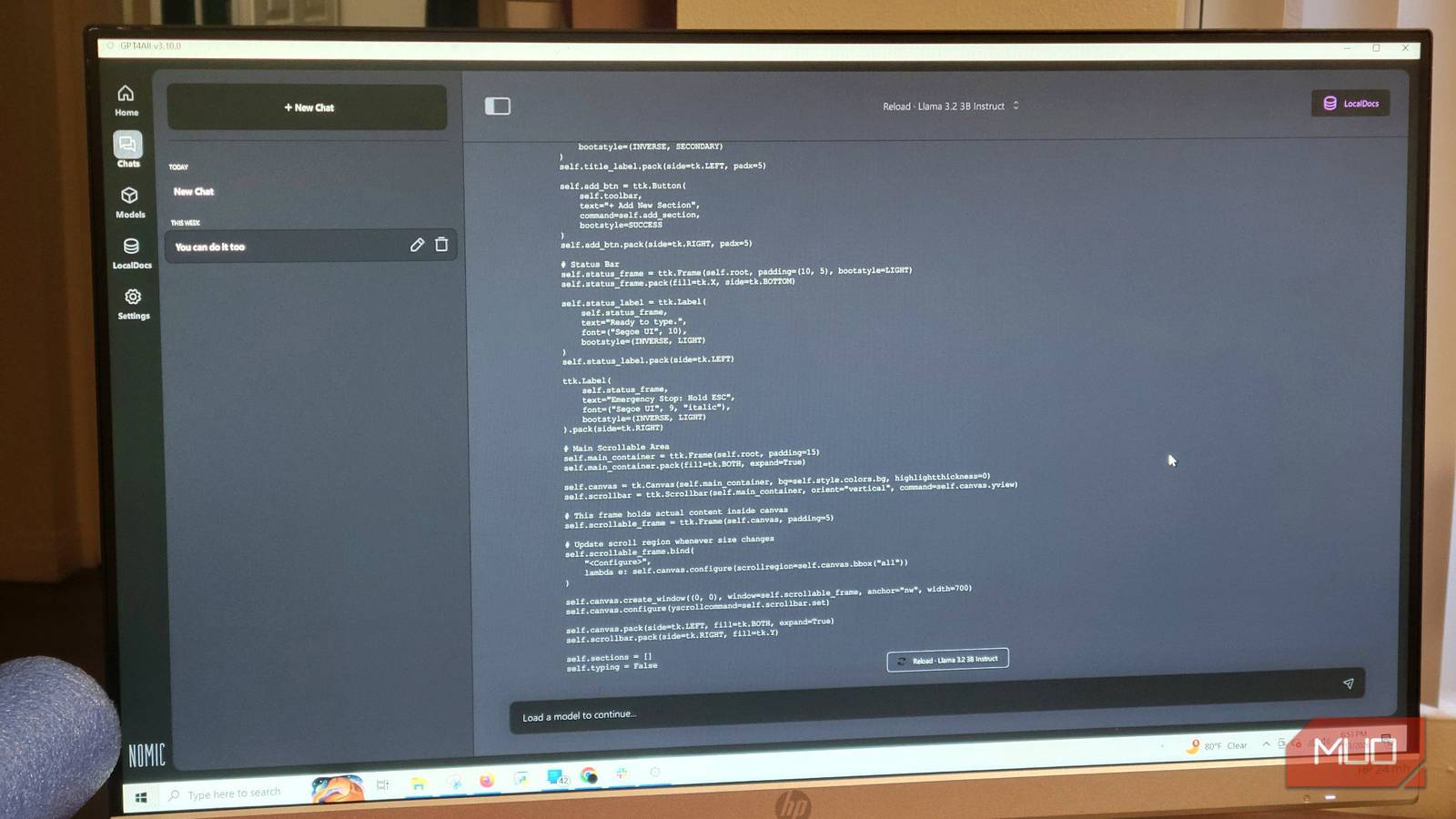
Getting started with local LLMs is straightforward. GPT4All is recommended for beginners because it offers a graphical interface and an integrated model hub. After downloading the software, users can browse and download models directly within the application. For general use, the Qwen2.5-Coder-3B model is a good choice: it is compact enough to run on mid-range hardware while retaining strong reasoning skills.
Once the model is downloaded, users must adjust settings to optimize performance. In GPT4All's settings menu, navigate to Model and increase the 'Max Length' parameter to at least 4096 tokens to allow the model to process longer contexts. If the main computer struggles with performance, dedicating a separate machine as a server is recommended. This prevents slowdowns during daily tasks and allows the local LLM to run continuously.
After loading the model, users can connect it to their code editor using the local API provided by GPT4All. This integration enables inline code suggestions, file analysis, and conversational debugging without sending data to the cloud. The setup takes less than an hour and can replace all three subscription tools immediately.
Hardware Considerations for Local AI
A common misconception is that running local LLMs requires expensive gaming PCs with high-end GPUs. While a powerful GPU does accelerate inference, many models can run on CPUs alone, especially the smaller 3B or 7B parameter variants. The original author used a $200 spare computer, which demonstrates that cost-effective hardware suffices. For those using a primary workstation, allocating system RAM (at least 16GB) and using quantized models (e.g., 4-bit or 8-bit) balances performance and resource usage.
Users who want to run larger models (e.g., 13B or 70B parameters) will benefit from a dedicated GPU with at least 8GB VRAM. However, the 3B models available today handle most coding and writing tasks accurately. The key is to match model size to hardware capability. Open-source tools like Ollama automatically optimize model quantization and offloading, simplifying the process further.
The Open-Source Advantage
Open-source models have reached a point where they match or exceed the capabilities of proprietary offerings in many benchmarks. The community continuously releases updates, fine-tuned variants, and improved architectures. Models like Llama 3, Mistral, and Qwen benefit from extensive testing and contributions, ensuring reliability and transparency. Users are not locked into a single vendor's roadmap; they can switch models freely as new versions appear.
Furthermore, local execution eliminates the risk of service discontinuation, pricing hikes, or feature removal. The user's data remains on their machine, protected from potential breaches or unauthorized use by cloud providers. This control is especially valuable for professionals handling confidential documents, code, or personal information.
GPT4All exemplifies the open-source ethos by offering a free, cross-platform application that prioritizes privacy and ease of use. Its model hub includes dozens of pre-quantized models ready for download. By leveraging these tools, users can replicate the functionality of multiple paid services with a single installation. The only ongoing requirement is occasional model updates, which are voluntary and free.
The shift to local LLMs is not just about saving money; it is about reclaiming autonomy over how AI is used. Without subscription anxiety, users can experiment freely, iterate on prompts, and explore new workflows without worrying about token limits or monthly bills. For many, the local path has become the logical next step in their AI journey, proving that premium features do not always require premium prices.
Source: MakeUseOf News