

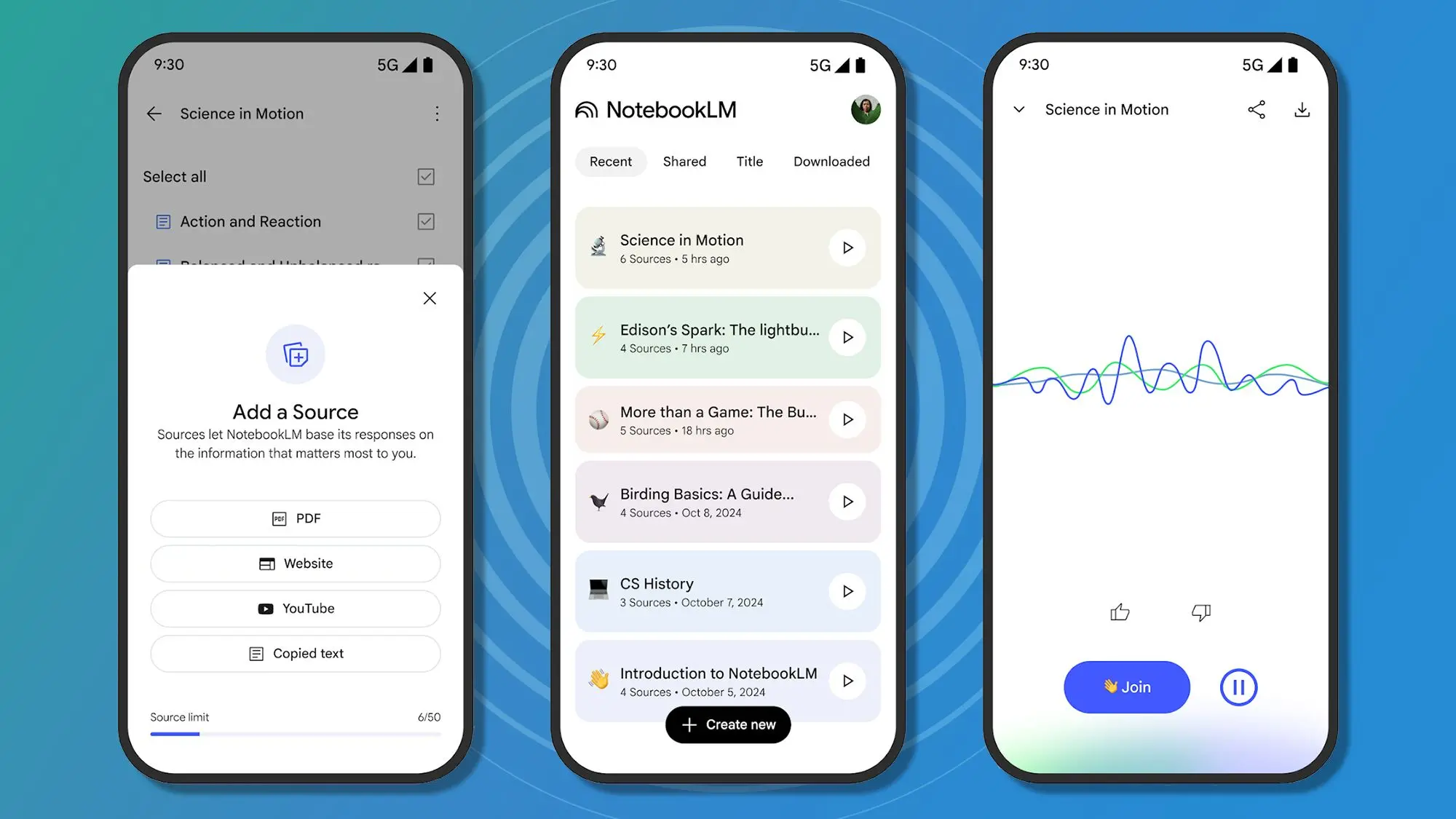
When Google first launched NotebookLM in 2023, it was positioned as a niche tool for researchers: an AI-powered notebook that could summarize documents, answer questions based on uploaded sources, and help organize academic literature. I, like many others, dismissed it as just another AI experiment from the Google Labs team. But after using it daily for the past six months, I've discovered that NotebookLM is far more than a research assistant—it has quietly become the central hub for organizing my entire life.
The accidental productivity powerhouse
NotebookLM's core strength lies in its ability to anchor AI responses to specific source material you provide. This grounded approach, free from the hallucinations that plague other chatbots, makes it exceptionally reliable. Unlike ChatGPT or Gemini, which draw from a vast, untamed internet, NotebookLM only answers based on the documents, web links, or notes you upload. This simple design choice has profound implications for personal organization.
I started using NotebookLM for my work as a journalist. I would upload transcripts of interviews, research papers, and notes. The AI would then answer questions, generate summaries, and even create study guides. But soon, I began experimenting beyond research. I uploaded my weekly schedule, my grocery lists, my to-do items, and even notes from therapy sessions. The AI's ability to understand and connect these disparate pieces of information transformed how I plan my days.
From chaos to clarity: Real-world use cases
One of the most powerful features is the ability to create multiple notebooks for different life domains: work, personal projects, health, finances, and hobbies. Each notebook acts as a dedicated assistant that understands the context of that domain. For example, in my "Weekly Planning" notebook, I upload my calendar exports, task lists, and meal plans. When I ask, "What should I focus on tomorrow morning?" NotebookLM cross-references my deadlines, appointments, and priority tasks to give a tailored recommendation.
Users on Reddit and Twitter have shared similar experiences. One user described using NotebookLM to organize their wedding planning, uploading vendor contracts, guest lists, and inspiration boards. Another uses it to manage chronic illness, tracking symptoms, medications, and doctor's notes. The AI can identify patterns and suggest questions to ask during medical appointments. A teacher I know uploads lesson plans and student records to create personalized study guides for each pupil.
Key features that enable life organization
NotebookLM offers several features that make it ideal for life management. The first is source-grounded Q&A. You can ask questions like, "What bills are due this week?" and receive an answer based solely on the financial documents you've uploaded. The second is auto-generated summaries, which condense long documents into bullet points or short paragraphs. The third is the ability to create study guides and briefings—perfect for quickly getting up to speed on a project or event.
The most underrated feature, however, is the note-taking functionality. You can write notes directly in NotebookLM, and the AI will link them to relevant sources. Over time, your notebook becomes a rich, interconnected knowledge graph. I now use it for journaling, where I record daily reflections and the AI helps me spot recurring themes or emotional patterns. It's like having a therapist who never forgets what you said six months ago.
Comparison with other organizational tools
How does NotebookLM stack up against established tools like Evernote, Notion, or Todoist? While those apps excel at structured databases and project management, NotebookLM shines in unstructured, conversational organization. It doesn't require you to build complex databases or templates—you can simply dump information and let the AI make sense of it. For people who find traditional productivity tools overwhelming, NotebookLM offers a gentler, more intuitive approach.
However, it's not without limitations. NotebookLM currently lacks calendar integration, task reminders, and real-time collaboration. It's also limited in how many sources you can upload per notebook (around 100). But Google has been adding features rapidly. In recent months, they introduced audio overviews (AI-generated podcasts from your notes) and expanded support for YouTube and Google Drive links. These updates suggest a long-term vision to make NotebookLM a central AI companion.
How to get started with life organization
If you want to use NotebookLM to organize your life, start small. Choose one area—maybe weekly chores or a hobby—and create a dedicated notebook. Upload relevant documents: PDFs, scanned handwritten notes, screenshots, or web pages. Then start asking questions: "What have I done this week?" or "What are the key points from this book?" Over time, you'll develop a habit of dumping everything into NotebookLM, and the AI will reward you with clarity.
One tip: use descriptive notebook names and tags to keep things separate. Also, periodically export your notebooks as a backup. Google stores data on its servers, but having a local copy gives peace of mind. Another advanced technique is to use NotebookLM's "Source Guide" feature, which automatically suggests questions you might want to ask based on your uploads.
The future of intelligent note-taking
Google's NotebookLM represents a shift in how we interact with personal information. Instead of manually sorting and tagging data, we can let AI do the heavy lifting. The tool is still in its early stages, but its current capabilities already make it a game-changer for anyone overwhelmed by digital clutter. As AI models improve and integrate with more services, NotebookLM could become the default operating system for our personal knowledge.
I no longer see NotebookLM as just a research tool. It's my second brain, my life coach, and my administrative assistant rolled into one. If you haven't tried it, now is the time. Upload your most chaotic collection of notes and see what happens—you might be surprised at how much order an AI can bring to your life.
Source: TechRadar News